










How InvoiceNow Could Change Your Bookkeeping in Singapore
Picture the last week of a GST quarter. Supplier invoices sit in your inbox as PDF files, a spreadsheet keeps growing, and someone in the office retypes every figure by hand. Then one small typo throws off the GST return. InvoiceNow bookkeeping Singapore aims to remove much of that pain, because the invoice arrives as clean data that your software can read without retyping.
However, InvoiceNow is not only a convenience. For many companies, it is also becoming a tax rule, so the way you handle invoices will change sooner or later. This guide explains the change in plain language, compares the old way with the new way, walks through a practical SME example, and shows exactly what to do next.
Overview
- InvoiceNow is Singapore’s national e-invoicing network. It sends invoices as structured data, directly between accounting systems, on the international Peppol standard.
- The GST InvoiceNow requirement has applied since 1 November 2025 to newly incorporated companies that register for GST voluntarily, and since 1 April 2026 to all new voluntary GST registrants.
- IRAS will extend the requirement to all GST-registered businesses by April 2031. Existing businesses move in phases from April 2028, based on annual supplies.
- For bookkeeping, the biggest gains are less data entry, fewer typing errors, faster reconciliation and cleaner GST reporting.
- You still file GST returns and still keep your records for five years. InvoiceNow does not replace either task.
- People still review GST codes, unusual items, disputed invoices, bank reconciliation exceptions and the final GST return.
- Start now by checking your phase date, asking your software provider whether it is InvoiceNow-ready, and tidying your customer and supplier records.
What Is InvoiceNow in Singapore?
Think of a PDF invoice as a photograph of a document. A person must look at it, read it and type the numbers into the books. A structured e-invoice works differently. Every detail, such as the supplier name, invoice number, date, amount and GST, sits in its own labelled field, so software can read it directly. That single difference explains almost every bookkeeping benefit in this article.
As a result, InvoiceNow Singapore is turning e-invoicing Singapore businesses use from an optional tool into a normal way of working, especially for GST-registered companies.
How Does Traditional Invoice Handling Work Today?
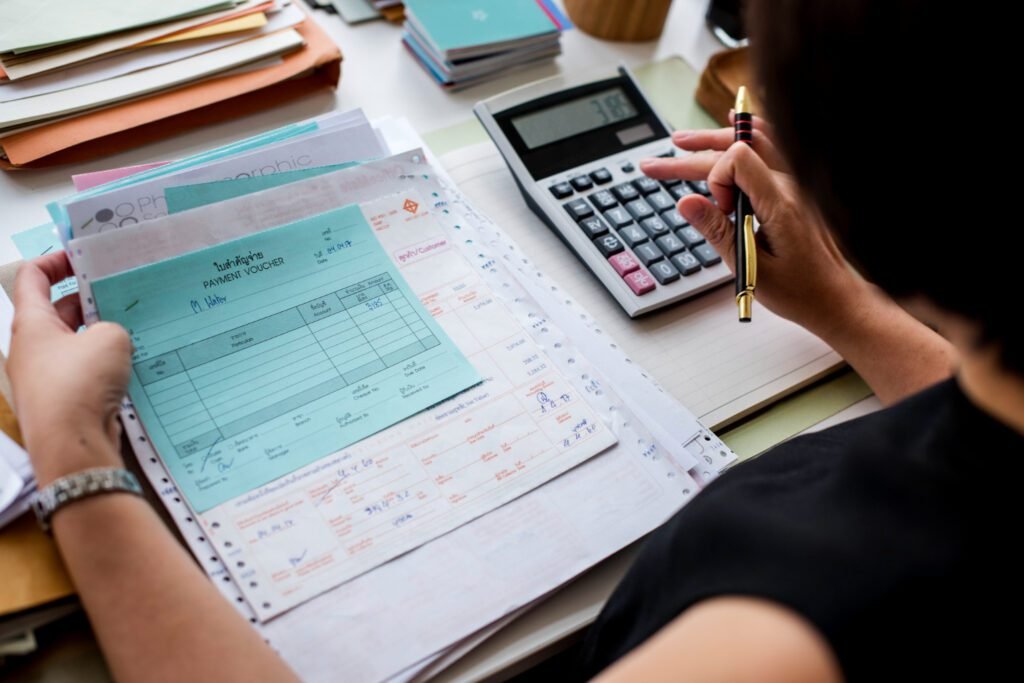
Most small businesses still follow a manual routine, and it usually looks like this:
- A supplier emails a PDF invoice, or a customer sends back a scanned copy.
- A staff member opens the file, reads it and types the details into a spreadsheet or accounting system.
- Someone saves the PDF in a folder, hopefully with a clear file name.
- At month end, the team matches invoices to bank statements line by line.
- Before filing, a person adds up output tax and input tax, then checks every figure again.
This routine works, but it has weak spots. Typing takes time, and typing mistakes are common. Folders become messy, so finding an old invoice during an audit can take hours. In addition, staff may enter the same invoice twice, or miss it completely. Consequently, the quality of your GST bookkeeping Singapore work each quarter often depends on how carefully one tired person typed at the end of a long day.
How Would a Workflow With InvoiceNow Look Different?
With InvoiceNow and compatible accounting software, the invoice travels as data. Your supplier issues the invoice from their software, the network delivers it, and your software receives it already filled in. You then review the entry instead of typing it. Once you activate the GST InvoiceNow submission feature, your software also sends a copy of the invoice data to IRAS through an accredited access point provider.
| Bookkeeping task | Traditional PDF and spreadsheet | InvoiceNow with compatible software |
| Receiving invoices | Email attachments, paper copies and scanned files | Invoices arrive inside the accounting software as structured data |
| Data entry | Staff retype the supplier, date, amount and GST | Fields fill in automatically, and staff check them |
| Record-keeping | PDFs in folders, figures in separate spreadsheets | Invoice data and accounting entries stay linked in one system |
| Reconciliation | Manual matching against bank statements | Software suggests matches, and staff fix the exceptions |
| GST reporting | Staff add up figures and cross-check by hand | GST figures build from coded invoice data, and staff review them before filing |
| Risk of errors | Higher, because of retyping and duplicates | Lower, because there is far less retyping |
Invoice processing
Invoices reach you faster, because they skip the email inbox and the printer. Faster delivery also means faster approval and payment, which helps your cash flow and your supplier relationships.
Data entry
Instead of typing 100 invoices, your team checks 100 invoices that the software already filled in. The work changes from typing to reviewing, and reviewing is quicker and less tiring. This is how accounting automation Singapore businesses are adopting actually works in daily practice.
Record-keeping
Each invoice stays attached to its accounting entry, so you can search by supplier, date or amount in seconds. Nevertheless, the law still expects you to keep your records. IRAS confirms that the usual record-keeping rules continue to apply, and businesses generally keep GST records for five years.
Reconciliation
When invoice data is accurate and complete, bank reconciliation becomes faster, because amounts and references are cleaner. The software proposes matches, and your bookkeeper only handles the ones that do not fit, such as part payments or bank fees.
GST reporting
IRAS collects data on the transactions that appear in your GST return, including supplies and purchases. Your software sends the invoice data by the earlier of two dates: the day you file the return, or the filing due date. You still prepare and file the GST return yourself, so InvoiceNow does not replace it. Nevertheless, because your invoice data is already coded and organised, preparing the return takes less effort.
A Practical Example: How One Small Trading Company Could Save Time
| ILLUSTRATIVE EXAMPLE
The company and the figures below are fictional estimates, used only to explain the idea. Your own results will depend on your suppliers, customers and software. |
Consider Harbour Lane Trading Pte. Ltd., a GST-registered company with five staff. Each month, it issues about 80 sales invoices and receives about 50 supplier bills. A part-time bookkeeper handles everything.
Before InvoiceNow
The bookkeeper opens each PDF and types it into a spreadsheet, then copies the totals into the accounting system. At roughly six minutes per document, 130 documents take about 13 hours every month. Before each GST return, she spends another full day cross-checking figures.
After InvoiceNow
Most customers and suppliers now use InvoiceNow-ready software, so about 100 of the 130 documents arrive as structured data. The bookkeeper reviews each of those in around two minutes, which adds up to roughly three and a half hours. She still types the remaining 30 PDF documents herself. In total, monthly invoice handling drops from about 13 hours to around 6 or 7 hours, and the pre-filing cross-check becomes shorter because the data is cleaner.
The savings grow as more of your trading partners join the network. Therefore, the first months show a modest gain, and the later months show a larger one.
| Task | Software does this | A person still does this |
| Reading invoice details | Fills in supplier, date, amounts and GST | Spot-checks the entries |
| Posting to the books | Creates the accounting entry | Confirms the account and GST code |
| Bank matching | Suggests matches | Resolves part payments, fees and unclear items |
| GST return | Totals the figures | Reviews, explains unusual items and files |
| Record storage | Keeps data linked to each entry | Backs up files and keeps records for five years |
Which Bookkeeping Tasks Still Need Human Review?
Automation reduces typing, not responsibility. Software can read a field, but it cannot judge whether a business expense qualifies for a GST claim. Therefore, a trained person should still review the following:
- GST treatment: whether an item is standard-rated, zero-rated, exempt or not claimable, such as certain entertainment or private expenses.
- Imported services: purchases from overseas suppliers may need special GST handling, so a person should confirm the treatment.
- Wrong or disputed invoices: incorrect prices, missing deliveries, duplicate bills and credit notes all need a human decision.
- Bank reconciliation exceptions: part payments, foreign currency differences and unexplained deposits.
- Year-end adjustments: accruals, prepayments, depreciation and bad debts.
- Suppliers outside the network: invoices that still arrive as PDFs need entry and checking, and your software must record them so the data can still reach IRAS.
- The final GST return: an experienced person should sign off before anything reaches IRAS.
| SIMPLE RULE TO REMEMBER
Let the software do the typing, and let people do the thinking. |
What Is the GST InvoiceNow Requirement and When Does It Start?
| QUICK ANSWER
The GST InvoiceNow requirement says GST-registered businesses must send invoice data to IRAS through InvoiceNow-ready software. It began on 1 November 2025 for newly incorporated companies that register for GST voluntarily, and it will reach all GST-registered businesses by April 2031. |
The table below shows the current GST InvoiceNow requirement timeline published by IRAS.
| Start date | Who must comply |
| 1 May 2025 | Soft launch. Any GST-registered business may join voluntarily. |
| 1 November 2025 | Newly incorporated companies that register for GST voluntarily, within six months of incorporation. |
| 1 April 2026 | All new voluntary GST registrants, regardless of incorporation date or business structure. |
| 1 April 2028 | New compulsory GST registrants, and existing GST-registered businesses with total annual supplies of S$200,000 or less. |
| 1 April 2029 | Existing GST-registered businesses with total annual supplies of up to S$1 million. |
| 1 April 2030 | Existing GST-registered businesses with total annual supplies of up to S$4 million. |
| 1 April 2031 | Existing GST-registered businesses with total annual supplies above S$4 million. |
Source: IRAS, as at October 2026. Dates can change, so always confirm with IRAS before you plan.
Notice the pattern. Smaller businesses go first on the voluntary side, while the largest existing businesses go last. Even so, IRAS has already notified GST-registered businesses that registered before 2026 about their implementation dates, so check your myTax Mail rather than guessing. Businesses that are not GST-registered fall outside this particular rule, although they can still use InvoiceNow voluntarily.
Also, IRAS lists free-of-charge solution packages that GST-registered businesses may choose from until 31 March 2027. It is worth checking that offer before you pay for new software. For the full rules, read the IRAS e-Tax Guide on this requirement.
Which Accounting Software Works With InvoiceNow?
Only software that IMDA recognises as an InvoiceNow-ready solution can send invoices through the network. A plain spreadsheet cannot do this. Many cloud accounting platforms in Singapore already support InvoiceNow, but support varies between plans, so confirm the details for your own account. You can browse the official list of InvoiceNow-ready solutions on IMDA’s InvoiceNow page.
Before you commit, ask your software provider these four questions:
- Is this software listed as an InvoiceNow-ready solution?
- Does my plan include the GST InvoiceNow submission feature, and is there an extra fee?
- Which access point provider does it use, and how do I register my company’s UEN on the network?
- Can it record invoices from suppliers who are not on InvoiceNow, so that their data still reaches IRAS?
How Can You Prepare? A Step-by-Step Guide
Take your time with each step. None of them needs technical skill, and you can finish them over a few weeks.
Step 1: Find your own start date
- On your computer, open your web browser, such as Chrome or Edge, and go to the myTax Portal login page.
- Choose the business option and sign in with Corppass. Corppass is the login for company accounts, and only an authorised person in your company can use it.
- Open myTax Mail and look for a letter from IRAS about InvoiceNow. Menu names can look slightly different over time, so ask your accountant if you cannot find it.
- If you find no letter, use the timeline table above, or read the IRAS GST InvoiceNow page.
Step 2: Know your size group
Check your total annual supplies in your GST records, then match the figure to the timeline table. If your sales sit close to a limit, ask your accountant which group you belong to. If you are not sure that GST registration applies to you at all, IRAS explains who needs to register for GST.
Step 3: Ask your software provider the four questions
Use the list in the previous section. If your software is not ready, shortlist InvoiceNow-ready alternatives and compare their prices, support and training.
Step 4: Tidy your customer and supplier records
Check that every customer and supplier has the correct company name, address, UEN and, where applicable, GST registration number. InvoiceNow uses your UEN to identify your business on the network, so clean details now save corrections later.
Step 5: Register on the network and activate GST submission
Follow your software provider’s onboarding instructions to connect to an access point and switch on the feature that sends invoice data to IRAS. Most providers guide you through this one screen at a time, and their support team can help if you get stuck.
Step 6: Test with one real invoice
Send or record one real invoice, then confirm that the software shows a successful transmission. Write down the date and take a screenshot for your files.
Step 7: Set a simple monthly routine
- Review the list of invoices that the software flagged.
- Check the GST code on any unusual item.
- Complete the bank reconciliation and clear the exceptions.
- Back up your records.
Step 8: Keep your records
Keep your invoices and related GST records for five years, even though IRAS receives the data. Read the IRAS guidance on keeping GST records if you want the details.
Step 9: Ask your accountant to review your first return after the switch
A second pair of eyes on the first GST return catches setup mistakes early, before they repeat every quarter.
Common Mistakes to Avoid
- Believing InvoiceNow replaces GST filing. It does not.
- Waiting until the deadline month to choose software.
- Assuming every supplier already uses the network.
- Accepting automatic GST codes without a second look.
- Throwing away PDFs and paper records too early.
- Leaving UEN or GST number errors in your master records.
The Bigger Picture: Better Books Beyond Compliance
Even if your deadline is a few years away, digital bookkeeping Singapore habits pay off today. Cleaner books help you spot cash flow problems earlier and close each month faster. They also prepare you for the day a bank asks for up-to-date financial statements during a loan application, because lenders prefer tidy, current records.
Moreover, InvoiceNow for SMEs Singapore gives smaller firms access to invoicing tools that once suited only large corporations. A small team can now run a process that is faster, cleaner and easier to audit.
Frequently Asked Questions
1.) What is InvoiceNow in Singapore?
InvoiceNow is Singapore’s national e-invoicing network. It lets businesses exchange invoices as structured digital data between accounting systems, using the international Peppol standard, instead of sending PDF files.
2.) What is the GST InvoiceNow requirement?
It is a rule that requires GST-registered businesses to transmit invoice data to IRAS using InvoiceNow-ready software. IRAS is introducing it in phases, and it will cover all GST-registered businesses by April 2031.
3.) Is InvoiceNow compulsory for every business in Singapore?
No. The requirement applies to GST-registered businesses. Businesses without GST registration can still use InvoiceNow voluntarily to send and receive invoices.
4.) When will InvoiceNow become compulsory for my business?
It depends on your GST registration and annual supplies. New voluntary registrants already follow it. Existing GST-registered businesses move in from 1 April 2028 (supplies of S$200,000 or less), 2029 (up to S$1 million), 2030 (up to S$4 million) and 2031 (above S$4 million). Check myTax Mail for your own notice.
5.) Does InvoiceNow replace my GST return?
No. You still prepare and file your GST return as usual. InvoiceNow only sends the supporting invoice data to IRAS.
6.) Do I still need to keep invoices and records?
Yes. IRAS states that existing record-keeping rules still apply, and businesses generally keep GST records for five years. Sending data to IRAS does not replace your own records.
7.) What invoice data does IRAS receive?
IRAS receives data on the transactions reported in your GST return, including supplies and purchases. You do not need to send supporting documents as part of this data.
8.) When must the invoice data reach IRAS?
Your software must transmit the data by the earlier of two dates: the day you file the GST return, or the filing due date of that return.
9.) Do I need new accounting software?
Possibly. Your software must be an InvoiceNow-ready solution with the GST submission feature. A spreadsheet cannot transmit invoice data on its own, so ask your provider to confirm that your current plan qualifies.
10.) How much does InvoiceNow cost?
Costs depend on your software provider and plan. IRAS lists free-of-charge solution packages that GST-registered businesses may choose until 31 March 2027, and newly incorporated businesses have also had free access offers. Check the current terms before you buy.
11.) What if my suppliers are not on InvoiceNow?
Keep recording their invoices in your software, because the data they contain must still reach IRAS. You should also keep the original PDF or paper copy as part of your records.
12.) Will InvoiceNow replace my bookkeeper?
No. It changes the job from typing to reviewing. People still check GST codes, resolve exceptions, reconcile accounts and sign off the GST return.
13.) Can my business opt out of the GST InvoiceNow requirement?
Once your phase applies, GST-registered businesses must comply. IRAS has a process for exemption requests in limited cases, so read the IRAS FAQ or speak with an adviser if you think you qualify.
14.) How do I know if my accounting software is InvoiceNow-ready?
Check the official list of InvoiceNow-ready solutions on the IMDA website, and ask your provider to confirm that your plan includes the GST InvoiceNow submission feature.
Make Your First InvoiceNow Quarter a Calm One
Changing how invoices move through your business can feel like a big task, especially when you already run a busy company. You do not need to handle it alone. Our team can look at how your invoices, bank records and GST returns work today, and then help you move to a cleaner process step by step.
Here is how we can help:
- Review your current bookkeeping and flag gaps before your InvoiceNow phase date arrives.
- Tidy your digital records so your accounts are ready for InvoiceNow-compatible software.
- Prepare your GST returns with a second pair of eyes on coding and unusual items.
- Keep your ACRA filings and company records on schedule through our corporate secretarial support.
Bizsquare Management Consultants brings accounting and corporate secretarial services together in one place, so your books, GST and company compliance stay aligned. Speak with our team today, and take the guesswork out of your move to e-invoicing.
| READY TO GET STARTED?
Explore Bizsquare accounting and corporate secretarial services and let us prepare your business for InvoiceNow. |
