









9 Reasons Your Business Website Gets Visitors But No Enquiries in Singapore
You spent money on a business website in Singapore. Maybe you even invested in search engine optimisation Singapore to boost your rankings. Traffic is coming in. People are visiting. And yet, the phone stays silent. The enquiry form sits empty. You wonder what went wrong.
This is one of the most frustrating problems Singapore SME owners face today, and the good news is that it is almost never about the traffic itself. The problem almost always lives inside the website.
In this article, we break down the 9 most common conversion killers that drive potential customers away from Singapore business websites, along with practical guidance on how to fix each one. We will also look at real-world examples from professional services, accounting firms, business consultants, contractors, and B2B companies so you can see exactly how these issues show up in your own industry.
What Happens in the First 10 Seconds on Your Website
Before we dig into the 9 reasons, you need to understand something important about human behaviour online. Research from the Nielsen Norman Group consistently shows that users form a first impression of a website in less than one second, and most decide whether to stay or leave within 7 to 10 seconds.
During those critical seconds, a visitor is asking themselves three questions, often without even realising it:
- Is this business relevant to what I need?
- Can I trust this company to solve my problem?
- Is it easy to take the next step?
If your website design in Singapore fails to answer all three questions clearly and quickly, that visitor leaves. They do not call you later. They do not come back. They simply click away to a competitor.
Now, let us go through each of the 9 reasons this happens, and more importantly, how to fix them.

Reason 1: A Weak First Impression on Your Homepage
The moment someone lands on your homepage, their brain makes an instant judgement. If the design looks outdated, cluttered, or generic, their trust drops immediately. A weak first impression signals to the visitor that perhaps your business is not credible, not current, or not worth their time.
What this looks like in practice
An accounting firm in Singapore has a homepage with a stock photo of calculator keys and a headline that says “We Provide Quality Accounting Services.” There is no clear indication of who they serve, what sets them apart, or why a visitor should call them instead of the ten other firms that come up on Google.
A business consultant in Singapore has a website that uses three different fonts, mismatched colours, and images that look like they were taken on a mobile phone in 2009. Even if that consultant is highly skilled, the website communicates something else entirely.
How to fix it
- Use a clean, professional design with consistent colours and fonts that reflect your brand identity.
- Make your headline specific. Instead of “Professional Business Consulting Services,” try “Helping Singapore SMEs Scale from S$1M to S$5M in Revenue.”
- Use a high-quality hero image or illustration that is relevant to your industry and speaks to your ideal customer.
- Ensure your homepage loads looking sharp on both desktop and mobile screens.
If you are unsure whether your current branding is working for or against you, Bizsquare’s branding and digital marketing team at can conduct a full review and help you build a brand identity that converts.
Reason 2: Your Messaging Is Unclear or Too Generic
Even if your design looks professional, unclear messaging is a conversion killer. Many Singapore business websites are filled with vague corporate language that does not speak to the visitor’s actual problem or desire.
Visitors are not reading your website carefully. They are scanning. They are looking for confirmation that you understand their situation and that you have a solution for them. If they cannot find that confirmation within a few seconds, they assume you do not have it.
What this looks like in practice
A corporate service provider in Singapore has a homepage packed with phrases like “comprehensive solutions,” “end-to-end support,” and “strategic partnership.” These words mean nothing to a business owner who is looking for help with company incorporation because they do not know what they will actually receive.
A B2B company selling HR software has a landing page that talks extensively about “synergising your human capital management ecosystem” when their actual customers just want to know: will this software help me stop losing track of employee leave and payroll?
How to fix it
- Write your homepage headline around the outcome your customer wants, not the service you provide.
- Use plain language. Imagine explaining your service to someone who has never heard of your industry before.
- Address your visitor’s pain point directly in the first sentence. “Struggling to manage your company accounts while running a growing business?” is far more compelling than “We Offer Full-Spectrum Accounting Solutions.”
- Run a simple test: ask someone outside your industry to read your homepage for 30 seconds, then ask them what your company does and who it helps. If they cannot answer clearly, your messaging needs work.
Reason 3: You Have Not Told Visitors Why They Should Choose You
This is one of the most common problems we see with Singapore SME websites. The company explains what it does, but never explains why a customer should choose them over everyone else offering the same thing.
This is your value proposition, and in a competitive market like Singapore, a clear value proposition is not optional. It is essential.
What this looks like in practice
Two contractors in Singapore both build commercial fit-outs. One website says “Commercial Interior Renovation Services.” The other says “Singapore’s Fastest Commercial Fit-Out Contractor, delivering projects on time and within budget since 2010, with over 300 completed offices.” The second one wins the enquiry almost every time, not because they are necessarily better, but because they have communicated their differentiation.
An accounting firm that has been serving Singapore SMEs for 20 years, holds multiple ISCA accreditations, and specialises in tech startup accounting might still lose enquiries to a newer competitor simply because their website says nothing about any of this.
How to fix it
- Identify your three strongest differentiators. These might include years of experience, industry specialisation, speed of service, a unique methodology, or a strong client result.
- Place your most powerful differentiator directly in your homepage headline or sub-headline.
- Add a “Why Choose Us” section on your homepage or About page that speaks directly to what makes you different.
- Back up your claims with numbers wherever possible. “Over 500 Singapore businesses served” is far more credible than “Trusted by many businesses.”
Reason 4: Your Website Is Not Mobile-Friendly
In Singapore, mobile internet usage is among the highest in the world. According to the Infocomm Media Development Authority (IMDA), the vast majority of Singaporeans access the internet primarily through their smartphones. If your business website in Singapore is not optimised for mobile screens, you are potentially losing more than half of your visitors before they even read a single sentence.
What this looks like in practice
A professional services firm has a beautiful desktop website, but on a smartphone, the text is too small to read without zooming in, the menu is impossible to tap accurately, and the contact form requires horizontal scrolling to complete. A busy business owner checking vendors on their commute will simply close that tab and move on.
A management consultant’s website has a pop-up that works fine on desktop but covers the entire screen on mobile with no visible close button. The visitor’s only option is to leave.
How to fix it
- Test your website on multiple mobile devices right now. Open Chrome on your Android phone, or Safari on an iPhone, and browse your own website as a customer would.
- Use Google’s free Mobile-Friendly Test tool at to check how Google sees your site on mobile. Simply enter your website URL and the tool will flag specific issues.
- Ensure buttons and links are large enough to tap with a finger, ideally at least 44 pixels in height.
- Remove or redesign any pop-ups that block content on mobile screens.
- If your website was built more than three years ago and was not designed with mobile in mind, it is very likely worth a redesign. A proper responsive website design in Singapore will pay for itself quickly in additional enquiries.
Reason 5: Your Website Loads Too Slowly
Page speed is both a user experience issue and a search engine optimisation issue for Singapore businesses. Google uses page loading speed as a ranking factor, and more importantly, real human visitors are extremely impatient online. Research from Google shows that 53% of mobile users abandon a site that takes more than 3 seconds to load.
Think about that for a moment. If your page takes 5 seconds to load, you have already lost more than half of your potential leads before they have seen a single word you have written.
Common causes of slow websites
- Oversized, uncompressed images, for example, photos that are 5MB each when they could be reduced to 100KB without any visible quality loss.
- Too many plugins, particularly on WordPress websites where dozens of plugins each add their own code to every page load.
- Cheap or shared web hosting that cannot handle traffic spikes.
- No content delivery network (CDN) to serve files from a server closer to the visitor’s location.
How to fix it
- Run a free speed test at (pagespeed.web.dev). Enter your website URL and Google will give you a score out of 100 along with specific instructions for improvement. Even if you are not technical, you can share this report with your web developer and they will know exactly what to do.
- Compress all images on your website using a free tool like (tinypng.com). Upload your images and download the compressed versions, then replace the originals on your site. This single step can cut your page load time in half.
- Consider upgrading to a faster web hosting plan. For Singapore-based businesses, choosing a host with servers in Singapore or Asia-Pacific will deliver faster load times for local visitors.
Reason 6: Visitors Cannot Find Any Reason to Trust You
Trust is the single biggest barrier to conversion in professional services, B2B, and corporate service industries. A visitor who does not know your company will not send you an enquiry until they feel confident that you are legitimate, competent, and trustworthy.
Many Singapore SME websites are completely missing the trust signals that build this confidence. They have a basic company profile and a list of services, but nothing that makes a sceptical visitor feel safe moving forward.
Trust signals your website needs
- Client testimonials, ideally with the client’s name, company, and a specific result they achieved.
- Case studies that walk through a real problem you solved for a real client, with measurable outcomes where possible.
- Awards, certifications, accreditations, and professional memberships. For an accounting firm, this means displaying your ISCA membership prominently. For a contractor, it means displaying your BCA or MOM licences.
- A team page with real photos and professional profiles. Websites that show the actual people behind the business convert at significantly higher rates than those that only show a company logo.
- Media mentions, press coverage, or speaking engagements.
- A physical Singapore business address. Many visitors specifically look for this to confirm the company is real and locally based.
What this looks like in practice
A corporate service provider adds a “Trusted by 200+ Singapore businesses” section to their homepage with three short client testimonials and their ACRA registration number. Their enquiry rate increases noticeably within the first month, not because anything else changed, but because visitors can now verify that the company is legitimate.
Reason 7: Your Calls-to-Action Are Weak, Hidden, or Missing
A call-to-action (CTA) is the instruction you give a visitor about what to do next. It might be a button that says “Get a Free Quote,” a form that says “Book a Consultation,” or a link that says “Download Our Guide.”
Many Singapore business websites either have no clear CTA at all, or they bury it at the bottom of the page where no one scrolls. Others use vague CTA text like “Click Here” or “Submit,” which gives the visitor no reason to act.
What makes a strong CTA
- Specificity: “Get Your Free 30-Minute Business Consultation” is far more compelling than “Contact Us.”
- Visibility: Your primary CTA should appear in the top section of your homepage, visible without scrolling.
- Value: Tell the visitor what they will receive, not just what they should do. “Download Your Free HR Compliance Checklist for Singapore SMEs” converts better than “Download Now.”
- Repetition: Include your CTA multiple times throughout longer pages, particularly after sections where you have made a strong case for your services.
- Urgency or incentive where appropriate: “Book before 30 June for a complimentary business health check” gives a reason to act now rather than later.
Industry examples
A management consultant offers a free 45-minute strategy call as their primary CTA. Their enquiry rate is three times higher than a competitor who simply says “Contact us for more information.”
An accounting firm for Singapore tech startups offers a free “Are You Audit-Ready?” checklist download in exchange for an email address. This generates qualified leads every week at virtually no cost.
Reason 8: Your Website Navigation Is Confusing
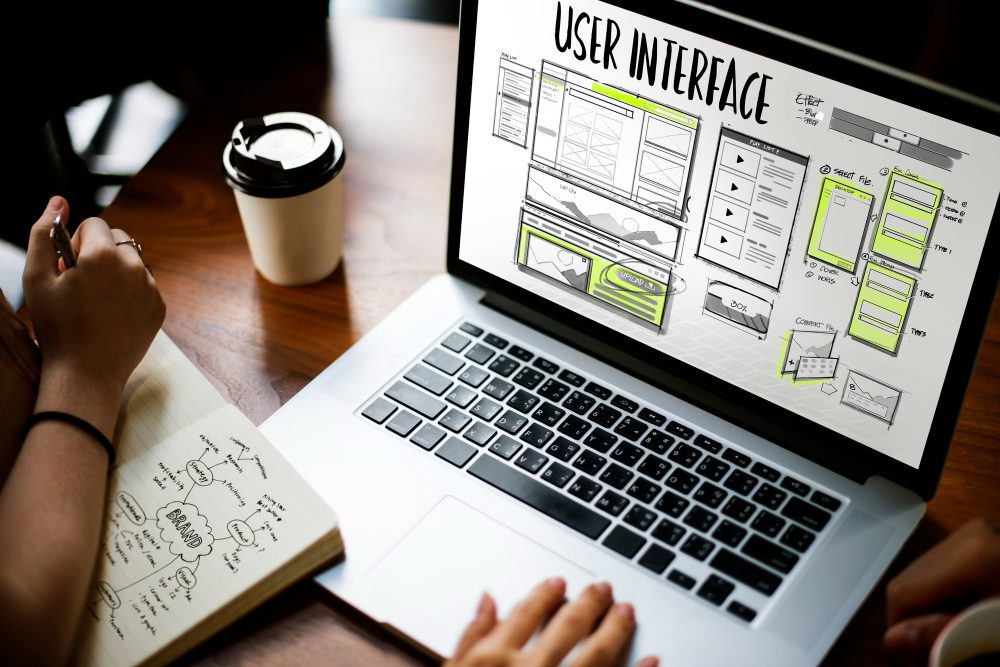
When a visitor cannot find the information they are looking for quickly, they leave. Website navigation is not just about aesthetics. It is about making the path to conversion as short and clear as possible.
Many Singapore SME websites have navigation menus that are structured around internal company logic rather than around what customers actually need to find. Services get buried under confusing dropdown menus. The contact page takes three clicks to reach. The pricing information, if it exists at all, is hidden in a paragraph at the bottom of the About page.
How to audit your navigation
- Open your website and try to find the answer to these questions as if you were a new visitor:
- What specific services does this company offer?
- How much does it cost, or how do I get a quote?
- Why should I choose them over a competitor?
- How do I contact them right now?
If any of these questions take more than two clicks to answer, your navigation needs work.
Practical fixes
- Limit your top-level navigation menu to five or six items maximum.
- Make “Contact” or “Get a Quote” one of the primary navigation items, not a small link buried in the footer.
- Add a sticky navigation bar that stays visible as visitors scroll down longer pages.
- Include internal links throughout your page content so visitors can move naturally from one section to the next without needing to return to the menu.
Reason 9: Your Enquiry Process Creates Too Much Friction
Even when a visitor is ready to contact you, a poorly designed enquiry process can stop them at the final step. This is perhaps the most frustrating conversion leak of all, because the visitor has already decided they want to reach out, and your website creates a barrier that stops them.
Common friction points in the enquiry process
- Contact forms that ask for too much information upfront. If your form asks for company name, address, turnover, number of employees, services required, preferred contact time, and how they heard about you, many visitors will abandon it halfway through.
- No alternative contact method. Some visitors prefer to call. Others prefer email. Some want to use WhatsApp. Offering only a contact form means you lose everyone who does not want to fill in a form.
- Forms that break on mobile. Test your enquiry form on a smartphone right now. Try to complete it using only your thumbs.
- No confirmation or response expectation. When a visitor submits an enquiry, they want to know that it was received and when they can expect a response. A simple “Thank you, we will respond within one business day” goes a long way toward building confidence.
- Broken forms. It sounds obvious, but a surprisingly high number of Singapore business websites have contact forms that either do not send emails to the right address, send submissions to a spam folder, or simply error out on submission.
How to fix it
- Reduce your contact form to the minimum required fields. For most professional services businesses, that is: name, email, phone number, and a brief message. That is it.
- Add a WhatsApp Business link to your website. In Singapore, WhatsApp is the dominant communication platform for business enquiries. A simple link in the format opens a WhatsApp chat directly from any mobile browser. This single addition can significantly increase your enquiry volume.
- Test your contact form every week by submitting a test enquiry and confirming you receive it.
- Add a response time guarantee on your contact page, for example, “We respond to all enquiries within 24 hours on business days.”
How to Identify Conversion Leaks Across Your Entire Customer Journey
Beyond the 9 reasons above, it helps to think of your website as a series of steps in your customer’s journey. A potential customer might arrive on your homepage, browse a service page, read an about page, look for testimonials, and then either enquire or leave. Each of these steps is an opportunity for a conversion leak.
A simple conversion audit you can do today
Step 1: Set up Google Analytics 4 (GA4) on your website if you have not done so already. Google provides a free guide at . GA4 shows you exactly where visitors are dropping off your website.
Step 2: Install Microsoft Clarity (free) at . This tool records real sessions of visitors using your website, so you can literally watch where people get confused, where they scroll, and where they leave. It is one of the most useful free tools available for SME marketing in Singapore.
Step 3: Check your Google Search Console at to see which pages visitors are landing on from Google search results, and which pages have high exit rates.
Step 4: Once you have identified the pages where most visitors are leaving, apply the fixes described in this article to those pages first. Prioritise by potential impact, starting with your homepage and your primary service pages.
Industry-Specific Conversion Issues: A Quick Reference
| Industry | Most Common Conversion Issue | Quick Fix Priority |
| Accounting Firms | Generic messaging, no trust signals | Add client testimonials, certifications, and specific client results |
| Business Consultants | No clear value proposition or differentiation | Rewrite homepage headline around specific outcomes and target client profile |
| Contractors | No portfolio, no certifications displayed | Add project photos, client reviews, and relevant licences (BCA, etc.) |
| Corporate Service Providers | Complex jargon, no clear pricing information | Simplify language, add FAQ section, offer free consultation CTA |
| B2B Companies | Slow website, no mobile optimisation | Run PageSpeed Insights, compress images, test full mobile user journey |
| Professional Services | Weak or missing calls-to-action | Add specific CTAs after every major section, offer a free initial call |
Ready to Transform Your Website into a Lead Generation Machine?
Turn Your Website Traffic into Real Business Enquiries with Bizsquare
If you have read this far and recognised your own website in two or more of the 9 reasons above, you are not alone. Most Singapore SMEs launch a website once and never revisit the fundamentals of conversion strategy. The result is a website that ranks, attracts visitors, and then loses them at the last moment.
At Bizsquare Creative, we help Singapore SMEs close that gap. Our branding and digital marketing team combines strategic consulting with hands-on execution so that your website does not just look good, but actually works as a sales tool.
Here is what our clients experience after working with us:
- A clearer, more compelling brand story that resonates with their ideal customer in Singapore.
- A professionally designed business website in Singapore that communicates value, builds trust, and drives enquiries.
- An end-to-end lead generation strategy that combines search engine optimisation in Singapore, conversion rate optimisation, and targeted digital marketing.
- Ongoing support from a team that understands the Singapore business environment, regulations, and customer expectations.
We have worked with accounting firms, management consultants, corporate secretarial service providers, contractors, and B2B technology companies across Singapore. Our approach is always practical, results-focused, and built around your specific business goals.
Frequently Asked Questions (FAQ)
The following questions reflect what Singapore SME owners most commonly ask about website conversion, lead generation, and digital marketing.
1.) Why does my Singapore website get traffic but no enquiries?
Traffic and conversions are two separate things. Your website may rank well on Google and attract visitors, but if those visitors do not find clear messaging, strong trust signals, and an easy way to contact you, they will leave without taking action. The most common causes are unclear value propositions, missing trust indicators, slow loading speed, and weak calls-to-action.
2.) How many seconds does it take for a visitor to judge my website?
Research shows that visitors form a first impression in as little as 50 milliseconds, and most decide whether to stay or leave within 7 to 10 seconds. Your homepage headline, design quality, and primary CTA must all communicate value immediately.
3.) What is a conversion rate and what is a good one for a Singapore SME website?
A conversion rate is the percentage of visitors who take a desired action, such as filling in an enquiry form or calling your business. For professional services websites in Singapore, a conversion rate of 2% to 5% is considered good. Many SME websites convert at less than 1%, which means there is significant room for improvement.
4.) Is website design really that important for lead generation in Singapore?
Absolutely. Website design directly affects credibility, user experience, and conversion rates. A poorly designed website signals to potential clients that your business may not be professional or credible, even if your actual services are excellent. Good website design in Singapore is an investment that pays for itself in increased enquiries and client conversions.
5.) How do I make my business website more mobile-friendly?
Start by testing your current website on a smartphone. Then use Google’s free Mobile-Friendly Test at search.google.com/test/mobile-friendly. Common fixes include using a responsive design framework, increasing button sizes, simplifying navigation for touch screens, and removing pop-ups that block content on smaller screens.
6.) How fast should my Singapore business website load?
Google recommends a page load time of under 2.5 seconds as ideal. Anything over 3 seconds causes a significant increase in bounce rate. Use Google’s PageSpeed Insights tool (pagespeed.web.dev) to test your current speed and get specific recommendations for improvement.
7.) What trust signals should I add to my professional services website?
The most impactful trust signals for Singapore professional services websites include client testimonials with names and companies, case studies with specific results, professional certifications and accreditations, a team page with real photos, your Singapore business registration number, a physical office address, and any media features or industry awards.
8.) How many fields should my contact form have?
Keep contact forms as short as possible. For most Singapore SME websites, three to five fields are sufficient: name, email, phone number, and a brief message. The more fields you add, the higher the likelihood that visitors will abandon the form before completing it.
9.) Should I add WhatsApp to my Singapore business website?
Yes, strongly recommended. WhatsApp is the dominant messaging platform in Singapore and many potential customers prefer it for initial enquiries. Adding a WhatsApp Business button to your website can noticeably increase your enquiry volume, particularly from mobile users.
10.) What is the difference between SEO and conversion rate optimisation (CRO)?
Search engine optimisation (SEO) in Singapore focuses on bringing more visitors to your website through better search engine rankings. Conversion rate optimisation (CRO) focuses on turning those visitors into leads and customers. Both are essential, but many Singapore SMEs invest heavily in SEO without addressing conversion issues, which means they attract traffic that never converts.
11.) How do I know which pages on my website are causing visitors to leave?
Google Analytics 4 (GA4) shows you the exit rate for each page on your website, meaning the percentage of visitors who leave from that particular page. Pages with unusually high exit rates are your conversion leaks. Microsoft Clarity (free) also lets you watch session recordings of real visitors using your website, which makes it easy to identify exactly where confusion or friction occurs.
12.) Does my business website need to show pricing?
This is a common question for Singapore professional services businesses. While showing exact pricing is not always possible, particularly for customised services, providing at least a starting price, a pricing range, or a clear path to getting a quote significantly reduces visitor uncertainty and increases conversion rates. A “Request a Quote” CTA is an acceptable alternative when fixed pricing is not practical.
13.) How often should I update my Singapore business website?
Your core website content should be reviewed and refreshed at least once a year to ensure it remains accurate and relevant. Blog content should be added regularly for SEO purposes. However, your conversion elements, including your headlines, CTAs, and trust signals, should be reviewed and tested every quarter to ensure they continue to perform well.
14.) Can SME marketing in Singapore work on a limited budget?
Yes. Many of the most effective conversion improvements cost nothing but time. Rewriting your homepage headline, adding testimonials, testing your contact form, compressing your images, and improving your mobile experience are all free or very low-cost changes that can significantly improve your lead generation results. Paid SME marketing in Singapore becomes far more effective once your conversion fundamentals are in place.
15.) How can Bizsquare help my Singapore business generate more leads from its website?
Bizsquare Management Consultants provides end-to-end branding and digital marketing services for Singapore SMEs. This includes website strategy, brand identity development, conversion-focused website design, search engine optimisation in Singapore, and ongoing digital marketing management. Our team understands the specific challenges Singapore SMEs face and designs solutions that fit real business goals and budgets. Visit bizsquare.com.sg/branding to learn more or to book a free consultation.
